A text layer can enter one unit at a time — a letter, a word or a line. The Text section holds the type; the Animation block under it holds the entrance. It starts folded and opens by itself once the text animates. The same engine drives 3D Text in its own Text Animation section. Drawing and typing the layer is on Drawing & layers; morphing a variable font's weight, width or its own axes letter by letter is on Variable fonts.
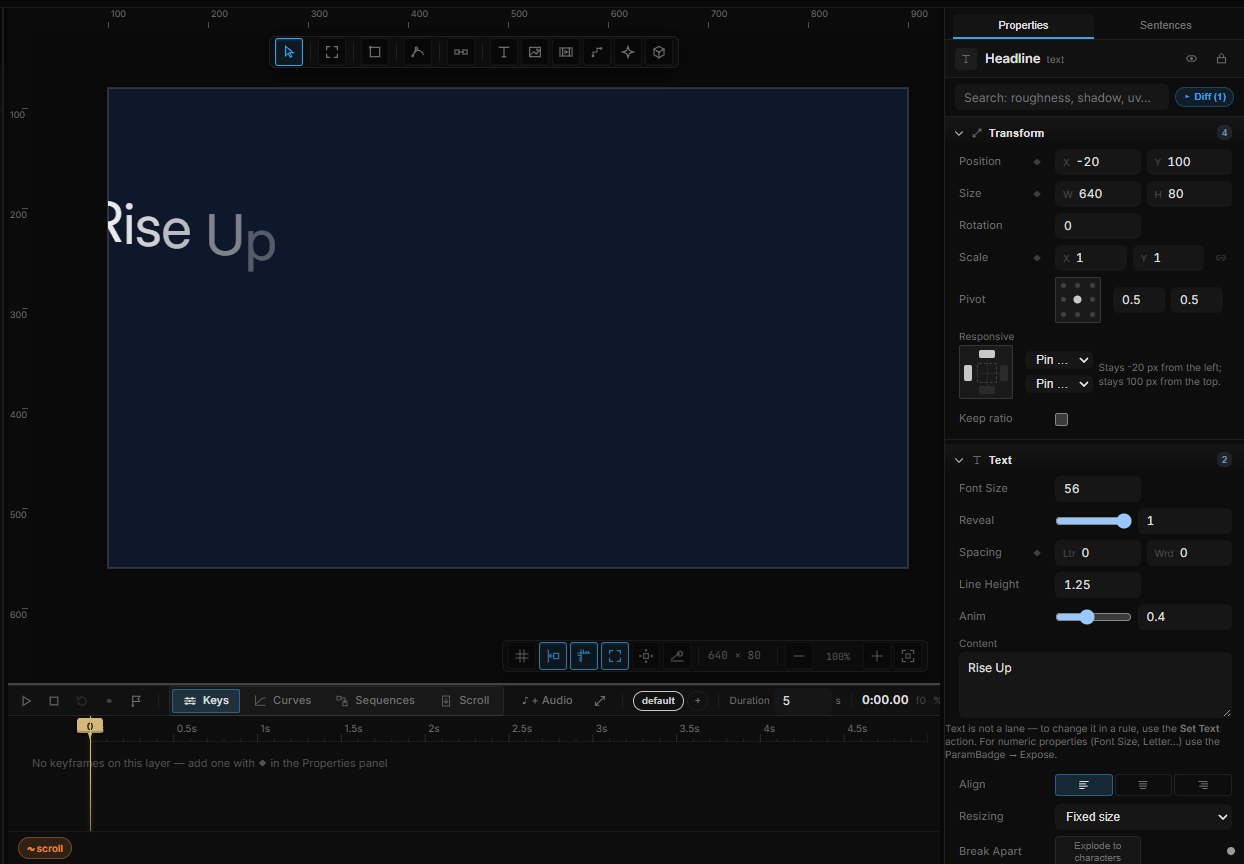
Nothing plays by itself. Anim (0 → 1) is the clock. Pick a unit and the tool writes a short intro on that property so you see motion immediately.
01Quick tour
- Press T, type a headline, press Esc.
- In Text, set Animate to Letter. Letters start offset and settle in.
- Pick a Preset — Rise Up, Pop In, Slam — or set Fx to Wave.
- Keyframe Anim from 0 to 1, or bind it to a scroll section.
02Animate
| Choice | What moves |
|---|---|
| Off | The text is drawn as-is. The rest of the block hides |
| Letter | One letter at a time |
| Word | One word at a time |
| Line | One line at a time |
Direction is Out (spreads from the origin) or In (gathers toward it). Origin (0–1) is where the wave starts: 0 the first unit, 0.5 the middle, 1 the last.
03Anim — the clock
Anim sits at the end of the Text section, behind the 3 more toggle (with Reveal and Range). 0 is every unit in its start state; 1 is everything in place.
- Keyframe it on a sequence.
- Bind it (∿) to scroll, a hover, a variable.
- Tween it from a rule with Set Property.
- The recipe Text reveals, then un-reveals writes hover in and leave out for you.
Picking Letter, Word or Line builds a short intro on Anim so you are not staring at a finished 1.
3D text shows the same Anim row at the top of Text Animation.
04Fx and presets
Fx is a procedural motion on each unit. From-state (the default) uses the number fields below. Any other Fx drives the path itself — Wave, Bounce, Glitch, Shuffle, Explode, Flip 3D, Wave 3D, Kinetic, Spiral, Elastic, Wobble, Reveal, Zoom blur.
When an Fx other than From-state is on, the Position / Rotation / Scale fields hide (they would do nothing). Blur and Timing stay. A line under the picker says which effect is driving the start.
Preset fills the start state from a card. Hover a card — it plays the entrance. The pick is not locked: every field stays editable. Changing a number drops the preset label so the panel does not pretend you are still on Rise Up.
The first group only sets where each unit starts. The motion-graphic group — Flash, Slam, Stretch snap, Drop, Spin pop, Skew in — also sets Timing and Easing: their punch comes from a short unit duration and a hard curve, not from the start pose alone.
| Preset | What it fills in |
|---|---|
| Rise Up | Units start 28 px down |
| Fade In | Opacity starts at 0 |
| Pop In | Scale starts at 0.3 |
| Slide In | Units start 60 px to the left |
| Tumble | Offset, smaller, rotated −35° |
| Blur | Slightly larger, 20 px blur |
| Wave / Glitch / Explode / Flip 3D / Zoom blur | The matching Fx |
| Flash | Units start 1.9× larger with 18 px blur and snap in fast on Out Expo |
| Slam | Units start 3.2× larger and hit their place on Out Expo |
| Stretch snap | Units start thin and tall (0.08 × 2.6) and spring out on Out Back — no fade |
| Drop | Units fall from 160 px above, stretched, and bounce on Out Bounce — no fade |
| Spin pop | Units grow from nothing while spinning 200°, on Out Back |
| Skew in | Units arrive from 120 px right, wide and squashed, tilted −12° with 8 px blur, on Out Quint |
05From-state fields
Shown when Fx is From-state. Labels match Transform: Position, Rotation, Scale, then Fade and Pivot.
| Row | What it is |
|---|---|
| Timing | Stagger — delay between units on the 0–1 clock. Duration — how long one unit takes |
| Position | Starting X / Y (px). 3D text adds Z |
| Rotation | Starting Z° (the 2D axis). 3D text adds X / Y tilt |
| Scale | Starting scale. 3D text adds Z |
| Fade | Starting Opacity and Blur |
| Pivot | Rotation / scale origin inside the unit box, 0–1 |
| Easing | The curve each unit uses to arrive |
06Clickable units
Clickable units (2D only) lets play-mode clicks hit a letter or a word. The trigger is Unit Click. The expression $unit.i is the index of the unit that was hit — a rule can light up that letter, or spawn something at it.
07Playing it from a rule
- Set Property → Anim to drive the entrance.
- Text Physics → Drop scatters the letters; Reset puts them back. See Physics.
- Text reveals, then un-reveals in + Interaction is the hover pair.
3D text: same Animation block, plus Z / tilt fields. The letters, font and depth stay in 3D Text — Meshes, models & 3D text.
08Shortcut recap
| Type | T · Esc to finish · Enter to edit again |
| Unit | Animate → Letter / Word / Line |
| Clock | Anim 0 → 1 — keyframe, bind, or the text recipe |
| 3D | Same block under Text Animation |