Compose the story
Combine text, images, video and 3D. Use live layer textures or Harmony refraction where the relationship between 2D and 3D helps tell the story.
Explore live layer texturesMuseums & exhibitions
Bring visual storytelling, interaction and mapped displays into the same project. Build for a single interactive exhibit or a composition that extends across a room.
Plan your projectA visitor chooses a topic; the scene changes state, reveals another layer of information and starts a sequence. Map the resulting experience to the display arrangement the space needs.
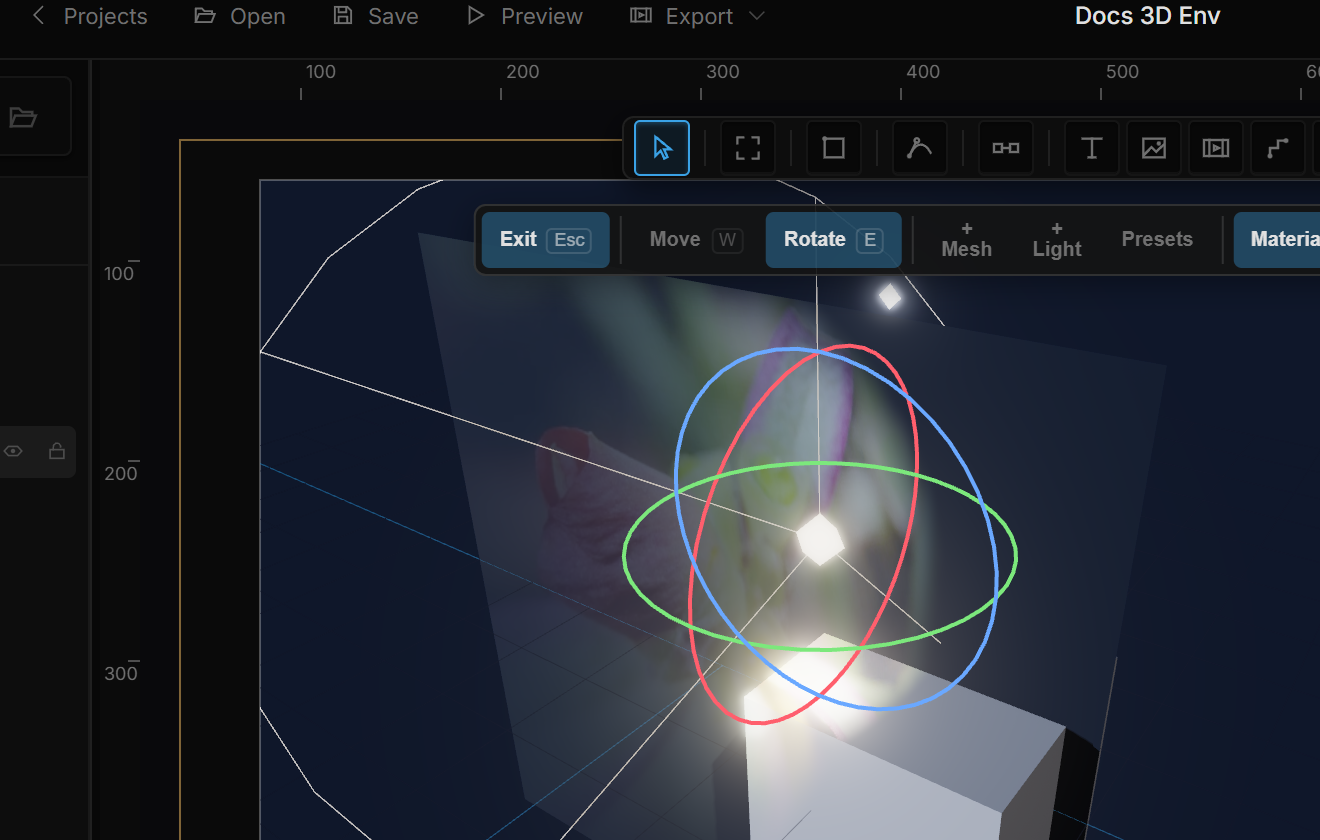
Combine text, images, video and 3D. Use live layer textures or Harmony refraction where the relationship between 2D and 3D helps tell the story.
Explore live layer texturesUse interaction rules and states to reveal content or change a scene. Connect external controls through supported inputs; device bridges are part of the integration scope.
Build with statesMap display surfaces, assign outputs to players and calibrate projection joins. Keep content editing in the studio and the physical output arrangement in OmniController.
Explore mapping and calibrationUse the software with your team, or involve OmniMotion for technical support and project work. Agree the scope around your existing tools, outputs and delivery needs.
Prepare a project brief