A Field bends a mesh's own surface around a point — the cursor, or a fixed spot. Hover a sphere and the surface dents away from you; move over a plane of clones and they part. The math runs on the graphics card, so a dense mesh stays smooth. Read Meshes, models & 3D text first.
01Quick tour
- Select a Sphere. Under Geometry → More, raise Segments to 96 and Rings to 48 so there is enough surface to bend.
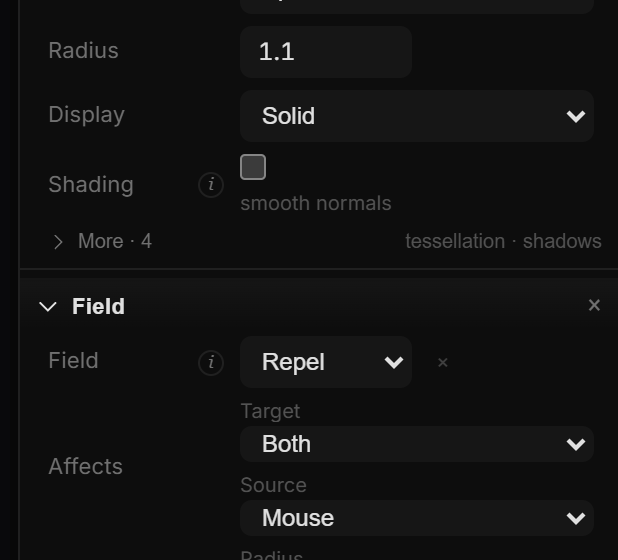
- At the bottom of Properties click Add → Field. A Field section appears, set to Repel and following the Mouse.
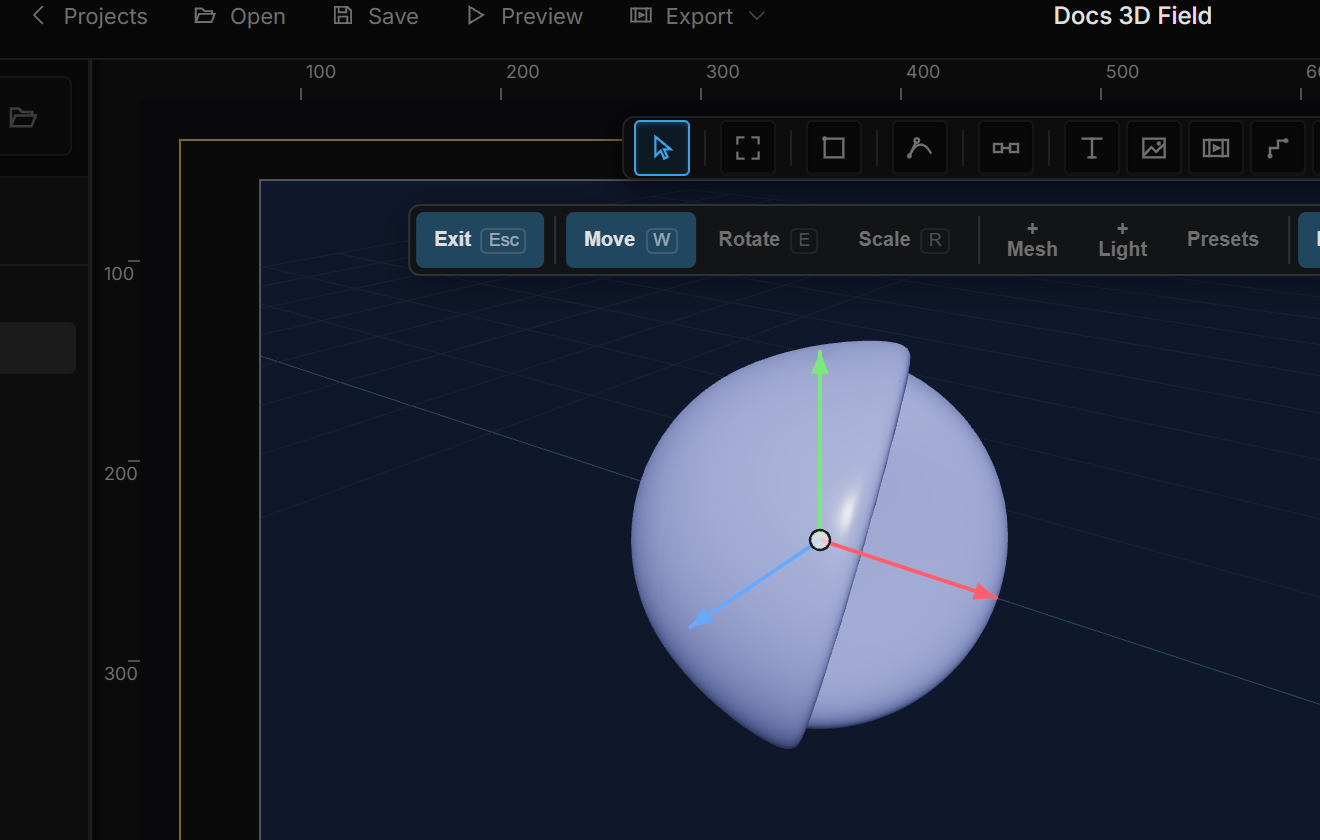
- Hover the sphere on the canvas — the surface pushes away from the cursor.
- Turn on Show area to see the radius and where the cursor lands in 3D. Adjust Influence → Radius and Strength.
02The Field section
| Row | Values | Notes |
|---|---|---|
| Field | Repel · Attract · Vortex · Twist · Turbulence | The kind of motion (table below). × removes the field. |
| Affects → Target | Vertices · Instances · Both | Vertices bends the surface; Instances moves clones (needs Clones); Both does both. Default Both. |
| Affects → Source | Mouse · Fixed | The real cursor, or a fixed point. |
| Influence → Radius | 0.01 – 50 | Reach in world units. Default 1.5. |
| Influence → Strength | −10 – 10 | A negative value reverses the direction. Default 0.6. |
| Falloff → Curve | Constant · Linear · Smooth · Inverse · Inv² | How the effect fades toward the edge of the radius. Constant is full inside, nothing outside. Default Smooth. |
| Falloff → Shape | Sphere · Box · Plane | The influence volume. Box uses the largest axis distance; Plane only the height difference. |
| Turbulence → Frequency / Speed | Turbulence only | Spatial density of the waves and how fast they move in time. |
| Point X · Y · Z | Fixed only | The source point, in world units. |
| Axes | X · Y · Z chips | Which axes the field may move — turn off X and Z to push only up and down. |
| Show area | on / off | Editor aid: draws the radius around the point and a marker where the cursor lands in 3D. Never exported. |
| Shade | Recalc normals | Recomputes lighting after the deformation. Off, the light hits the undeformed surface and bumps look flat. On by default; costs three field evaluations per vertex. |
| Mode | Motion |
|---|---|
| Repel | Pushes away from the point — a surface that opens under your touch. |
| Attract | Pulls toward the point (magnet). |
| Vortex | Spins around the point on the vertical axis (whirlpool). |
| Twist | Twists the surface around the point, more with distance. |
| Turbulence | Directionless wobble that changes with time — no point needed. |
03Where the cursor lands
With Source: Mouse the cursor becomes a 3D point every frame. It lands on the surface it points at — the ray from the camera stops at the first mesh it hits, so the field sits exactly under the pointer. Over empty space it lands on a plane through the camera's Look At point, facing the camera, so the field stays roughly at the depth of your content.
Show area makes this visible: a wireframe of the radius around the point, and a small marker at the landing spot. Turn it on whenever the field seems to sit in the wrong place — usually the cursor is landing on a mesh in front of the one you meant, or on the fallback plane behind it.
04Field with clones
Add Clones and a Field to the same mesh and set Target to Both: the field bends each clone's surface and pushes the clones apart. With Instances only the clones move, like a lightweight Push / pull effect that also works on meshes without a clone-effect stack.