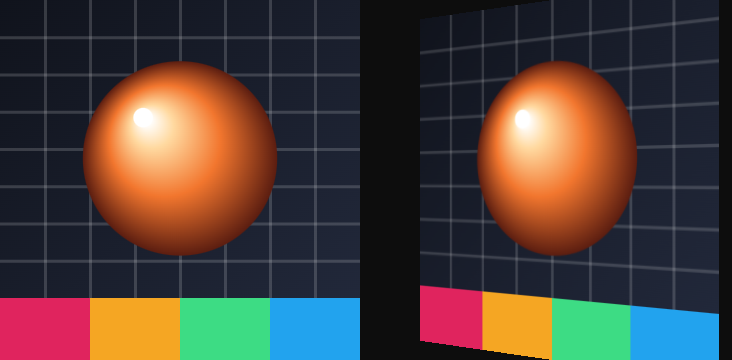
The eighteen effects in the Distort group of the catalog, in the order the catalog lists them. Each entry gives the parameters as the card shows them, with their range and default; parameters behind ▸ Advanced are in a second table. Effects with a Speed row also have a clock — Timeline / Free run / Static — on The effect stack.
01Wave warp
Pushes the picture along a repeating wave. The wave can travel in a line or out from the center, and it has a clock.
Use it for: a flag, a liquid title, a pond, unwrapping a circle into a strip.
Presets: Ripple, Strong, Radial, Uncircle.
| Parameter | Range · default | What it changes |
|---|---|---|
| Wave type | Sine / Square / Triangle / Sawtooth / Circle / Semicircle / Uncircle · Sine | The shape of the displacement |
| Propagation | Linear / Radial · Linear | Linear travels along Angle; Radial travels out from the center |
| Height | 0 – 1000 · 120 | How far the wave pushes, in pixels |
| Width | 1 – 1000 · 200 | Distance from crest to crest, in pixels |
| Angle | any angle · 90° | Direction the linear wave travels; hidden while Propagation is Radial |
| Speed | 0 – 5 · 0.5 | Cycles per second |
Advanced
| Parameter | Range · default | What it changes |
|---|---|---|
| Pinning | — / L / R / T / B / ⊞ · — | An edge that stays still while the rest waves |
| Wrap | None / Repeat / Mirror · Repeat | What happens at the edge of the layer |
| Antialias | Low / Med / High · Low | Sample quality of the warp |
| Phase | any angle · 0° | Where the wave starts; with Speed at 0, this picks the frame |
| Repeat edge pixels | on / off · on | Fills gaps at the edge with the last pixel instead of empty |
Motion: Timeline / Free run / Static.
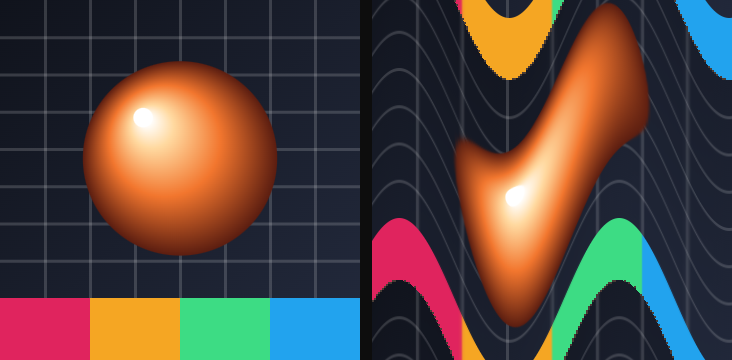
02Page curl
Peels a corner of the layer over itself, as if turning a page.
Use it for: a reveal, a book, a card that folds away.
Presets: Soft, Hard.
| Parameter | Range · default | What it changes |
|---|---|---|
| Progress | 0 – 1 · 0 | How far the page has turned; 0 is flat, 1 is gone |
| Angle | any angle · 40° | Which corner peels, and in which direction |
| Curl radius | 0.05 – 1 · 0.3 | Tightness of the roll |
Advanced
| Parameter | Range · default | What it changes |
|---|---|---|
| Shadow | 0 – 1 · 0.5 | Darkness in the hollow of the curl |
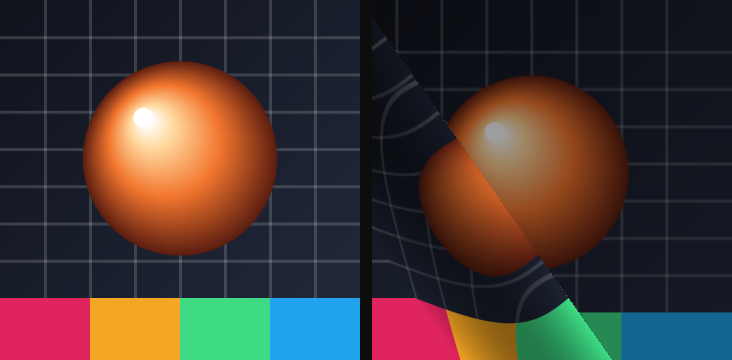
03Mouse field
Warps the picture around the pointer — the one live distort with no clock. It redraws whenever the pointer moves.
Use it for: a magnetic hero, water under a cursor, pushing type out of the way.
Presets: Attract, Repel, Swirl, Push.
| Parameter | Range · default | What it changes |
|---|---|---|
| Mode | Attract / Repel / Swirl / Push · Attract | How pixels move around the pointer |
| Strength | 0 – 3 · 1 | How hard the field pulls |
| Radius | 0.08 – 1.5 · 0.5 | Reach of the field, as a fraction of the layer |
Advanced
| Parameter | Range · default | What it changes |
|---|---|---|
| Mix | 0 – 1 · 1 | Blend between the original and the full effect |
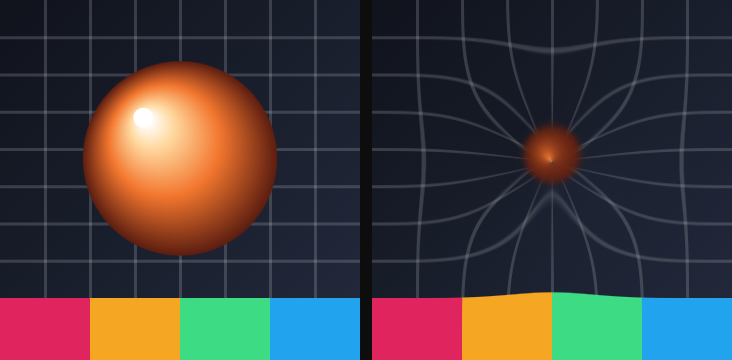
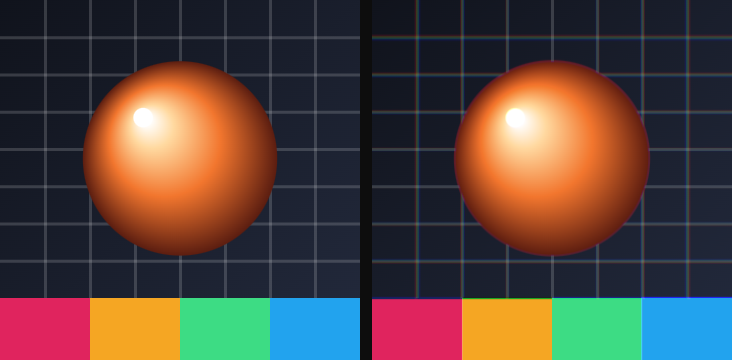
04Chromatic aberration
Splits the red and blue channels apart — the cheap lens look.
Use it for: a camera that isn't quite sharp, a glitch edge, making a title feel shot rather than drawn.
| Parameter | Range · default | What it changes |
|---|---|---|
| Amount | 0 – 0.2 · 0.01 | How far the channels separate |
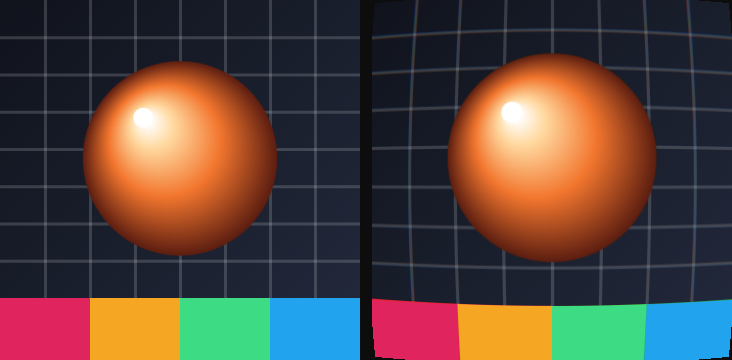
05Lens distortion
Bends the picture like a camera lens: barrel, pincushion, or a full fisheye, with an optional chromatic fringe.
Use it for: a security-cam frame, a wide-angle still, correcting a photo that already has a bend.
Presets: Barrel, Pincushion, Fisheye.
| Parameter | Range · default | What it changes |
|---|---|---|
| Barrel | −1 – 1 · 0.2 | Positive bulges the middle (barrel); negative pinches it (pincushion) |
| Zoom | 0.2 – 3 · 1 | Crops or expands after the bend, so the edges stay in frame |
| Chromatic | −0.5 – 0.5 · 0 | Extra split of red and blue through the same bend |
Advanced
| Parameter | Range · default | What it changes |
|---|---|---|
| K2 | −1 – 1 · 0 | A second, tighter bend near the edges |
| Center X | −0.5 – 0.5 · 0 | Horizontal offset of the lens center |
| Center Y | −0.5 – 0.5 · 0 | Vertical offset of the lens center |
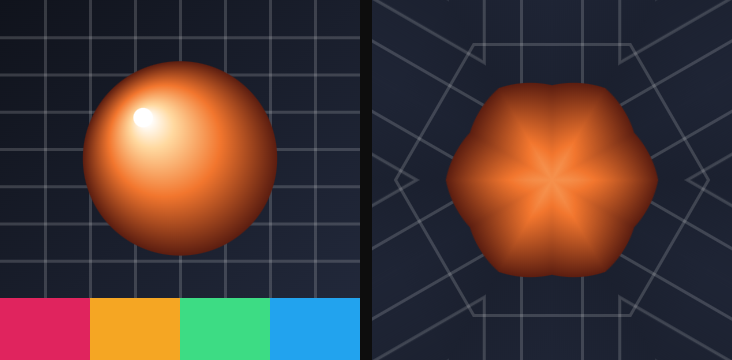
06Kaleidoscope
Mirrors the picture around a center into a regular polygon of slices.
Use it for: a mandala, a logo lockup, a title that feels cut from glass.
| Parameter | Range · default | What it changes |
|---|---|---|
| Sides | 2 – 24 · 6 | Number of mirrored slices |
| Angle | any angle · 0° | Rotation of the whole pattern |
Advanced
| Parameter | Range · default | What it changes |
|---|---|---|
| Center X | 0 – 1 · 0.5 | Horizontal position of the hub |
| Center Y | 0 – 1 · 0.5 | Vertical position of the hub (0 bottom, 1 top) |
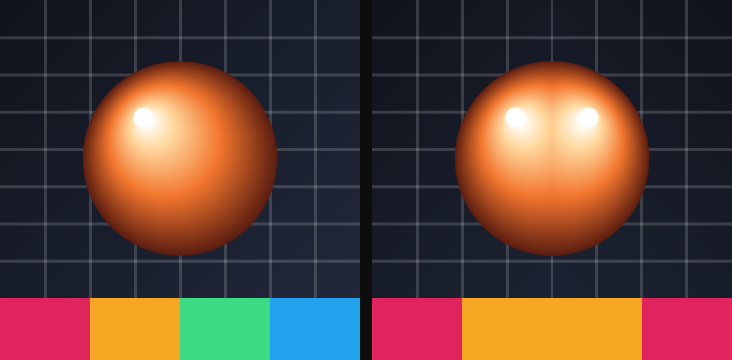
07Mirror
Folds the picture across one axis, or both.
Use it for: a reflection, a Rorschach card, doubling a one-sided illustration.
| Parameter | Range · default | What it changes |
|---|---|---|
| Axis | X / Y / XY · X | Which way the fold runs |
| Center | 0 – 1 · 0.5 | Where the fold sits across the layer |
| Invert | on / off · off | Swaps which side is the source |
08UV warp
A single-center warp with four modes: bulge, pinch, twirl, or shear. The card only shows the knobs that belong to the mode you picked.
Use it for: a magnifying glass, a drain, a swirl behind a logo, a slanted poster.
| Parameter | Range · default | What it changes |
|---|---|---|
| Mode | Bulge / Pinch / Twirl / Shear · Bulge | Which warp |
| Strength | −2 – 2 · 0.4 | How hard Bulge or Pinch pushes (shown in those modes) |
| Radius | 0.05 – 1.5 · 0.5 | Reach of the warp |
| Twirl | −3 – 3 · 1 | Turns of the spiral (Twirl mode) |
| Shear X | −1 – 1 · 0.2 | Horizontal slant (Shear mode) |
| Shear Y | −1 – 1 · 0 | Vertical slant (Shear mode) |
Advanced
| Parameter | Range · default | What it changes |
|---|---|---|
| Center X | −0.5 – 0.5 · 0 | Horizontal offset of the warp center |
| Center Y | −0.5 – 0.5 · 0 | Vertical offset of the warp center |
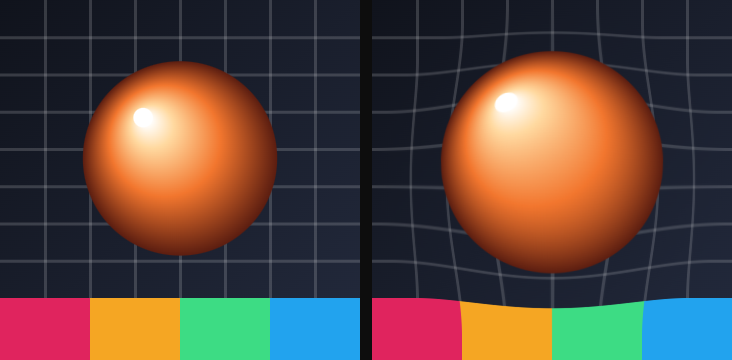
09Turbulent displace
Pushes pixels around with a moving noise field. Has a clock.
Use it for: heat over a road, a flag in wind, a liquid logo.
| Parameter | Range · default | What it changes |
|---|---|---|
| Amount | 0 – 60 · 5 | How far pixels wander, in pixels |
| Size | 0.5 – 40 · 4 | Scale of the noise; small is fine grain, large is big rolls |
| Speed | 0 – 5 · 0.5 | Cycles per second |
Advanced
| Parameter | Range · default | What it changes |
|---|---|---|
| Mix | 0 – 1 · 1 | Blend between the original and the full effect |
Motion: Timeline / Free run / Static.
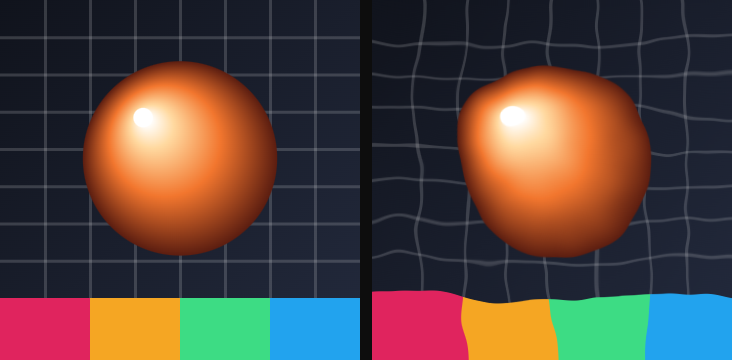
10Ripple shock
Rings spreading from a point, fading as they go. Has a clock.
Use it for: a drop in water, a click impact, a sonar ping.
| Parameter | Range · default | What it changes |
|---|---|---|
| Amplitude | 0 – 8 · 1 | Height of each ring |
| Frequency | 2 – 120 · 24 | How many rings sit between the center and the edge |
| Decay | 0 – 12 · 2.5 | How fast the rings die as they travel out |
| Speed | 0 – 5 · 0.5 | Cycles per second |
Advanced
| Parameter | Range · default | What it changes |
|---|---|---|
| Center X | 0 – 1 · 0.5 | Horizontal position of the impact |
| Center Y | 0 – 1 · 0.5 | Vertical position of the impact |
| Mix | 0 – 1 · 1 | Blend between the original and the full effect |
Motion: Timeline / Free run / Static.
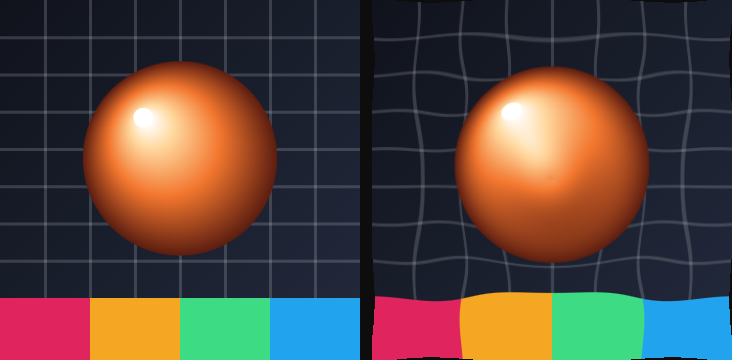
11Heat mirage
Horizontal shimmer, like air over hot ground. Has a clock.
Use it for: a desert plate, a grill, a title that won't sit still.
| Parameter | Range · default | What it changes |
|---|---|---|
| Amount | 0 – 6 · 1 | How far the rows slide |
| Rows | 4 – 200 · 40 | How many horizontal bands make the shimmer |
| Speed | 0 – 5 · 0.5 | Cycles per second |
Advanced
| Parameter | Range · default | What it changes |
|---|---|---|
| Wave freq | 1 – 60 · 14 | How many wiggles sit across the layer |
| Vertical | 0 – 3 · 0.4 | Extra up-and-down wobble |
| Mix | 0 – 1 · 1 | Blend between the original and the full effect |
Motion: Timeline / Free run / Static.
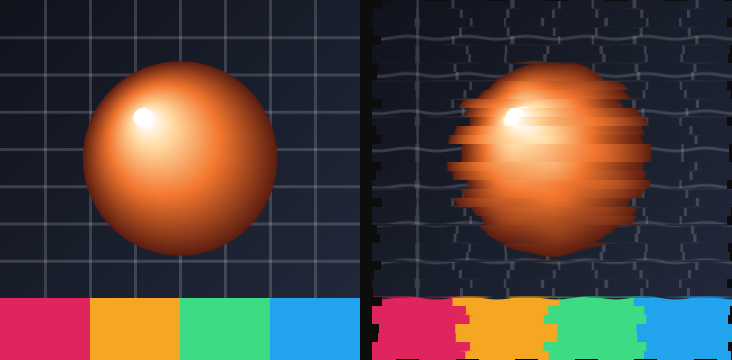
12Zigzag shear
Cuts the picture into bands and slides every other band. Has a clock.
Use it for: a torn poster, a barcode wipe, a hard glitch that isn't noise.
| Parameter | Range · default | What it changes |
|---|---|---|
| Bands | 1 – 60 · 8 | Number of slices |
| Depth | 0 – 6 · 1 | How far each band slides |
| Angle | any angle · 90° | Direction of the slices |
| Speed | 0 – 5 · 0.5 | Cycles per second |
Advanced
| Parameter | Range · default | What it changes |
|---|---|---|
| Mix | 0 – 1 · 1 | Blend between the original and the full effect |
Motion: Timeline / Free run / Static.
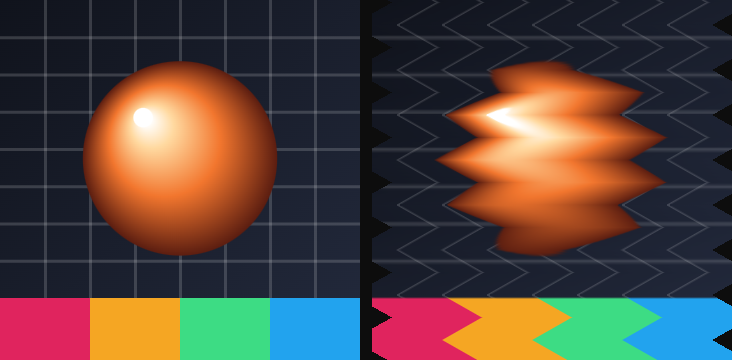
13Pixel stretch
Repeats one row or one column across part of the picture — a smear from a single line of pixels.
Use it for: a speed streak, a marquee, a cinematic smear under a still.
Presets: Subtle, Cinematic, Marquee.
| Parameter | Range · default | What it changes |
|---|---|---|
| Orientation | Vertical / Horizontal · Vertical | Which way the smear runs |
| Source | 0 – 1 · 0.5 | Which row or column is the source |
| Stretch | 0 – 1 · 0.2 | How much of the picture the smear covers |
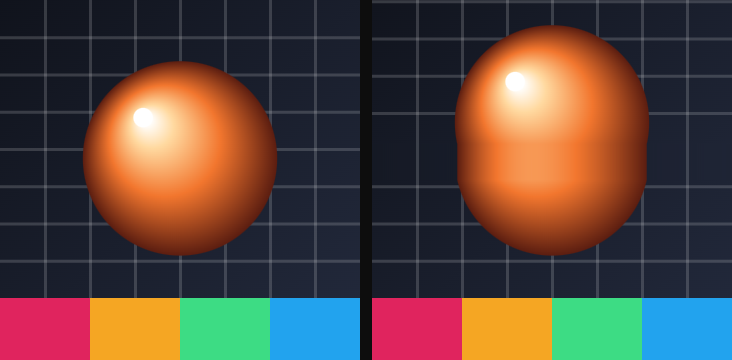
14Tile scroll
Tiles the picture and slides the tiles. Has a clock.
Use it for: a looping background, a conveyor, an infinite pattern under type.
| Parameter | Range · default | What it changes |
|---|---|---|
| Scale X | 0.05 – 8 · 1 | Horizontal tile size; below 1 repeats more |
| Scale Y | 0.05 – 8 · 1 | Vertical tile size |
| Dir X | −1 – 1 · 1 | Horizontal travel |
| Dir Y | −1 – 1 · 0 | Vertical travel |
| Speed | 0 – 5 · 0.5 | Cycles per second |
Advanced
| Parameter | Range · default | What it changes |
|---|---|---|
| Mix | 0 – 1 · 1 | Blend between the original and the full effect |
Motion: Timeline / Free run / Static.
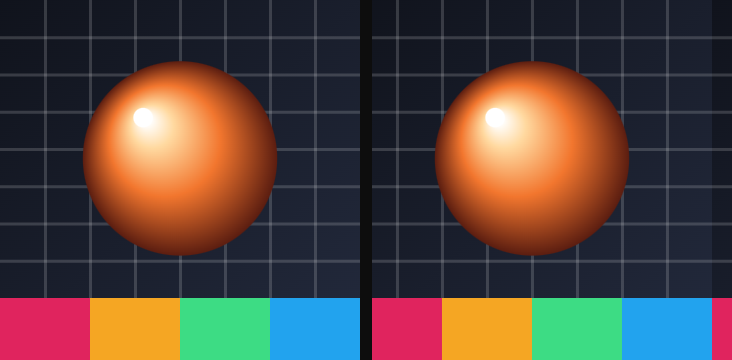
15Isometric
Tips the picture onto a fake ground plane.
Use it for: a city block, a card that sits on a desk, a 2D scene that needs a floor.
| Parameter | Range · default | What it changes |
|---|---|---|
| Rotation | any angle · 45° | Yaw of the plane |
| Y scale | 0.05 – 2 · 0.55 | How flat the plane is; lower is more top-down |
| Zoom | 0.1 – 4 · 1 | Size after the tip |
Advanced
| Parameter | Range · default | What it changes |
|---|---|---|
| Offset X | −1 – 1 · 0 | Horizontal slide of the plane |
| Offset Y | −1 – 1 · 0 | Vertical slide of the plane |
| Clip outside | on / off · on | Hides pixels that fall off the plane |
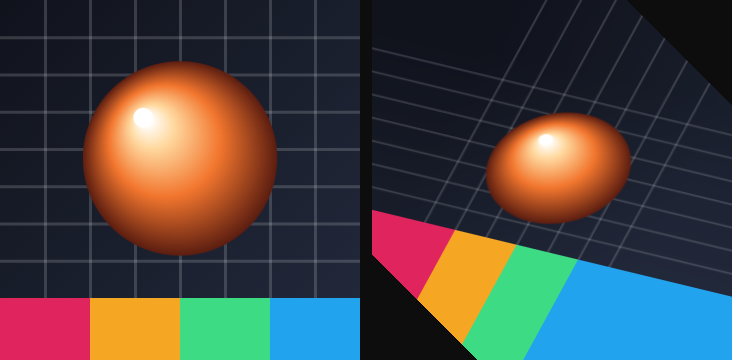
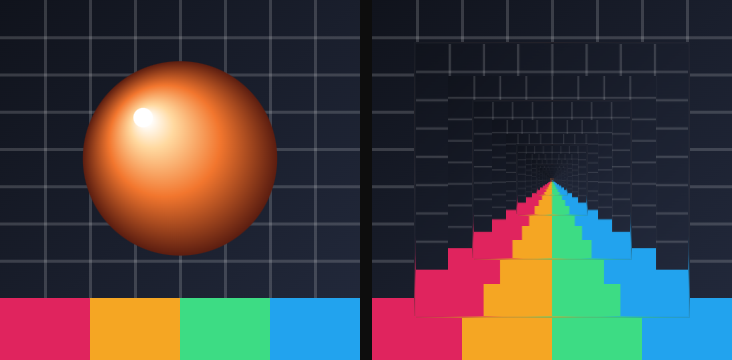
16Feedback tunnel
Recursively insets the picture inside itself.
Use it for: a corridor, a screen-inside-a-screen, a hypnotic loop.
| Parameter | Range · default | What it changes |
|---|---|---|
| Margin | 0.02 – 0.45 · 0.12 | How much each copy shrinks |
| Inward | on / off · on | Copies nest in (on) or grow out (off) |
Advanced
| Parameter | Range · default | What it changes |
|---|---|---|
| Mix | 0 – 1 · 1 | Blend between the original and the full effect |
17Cylinder wrap
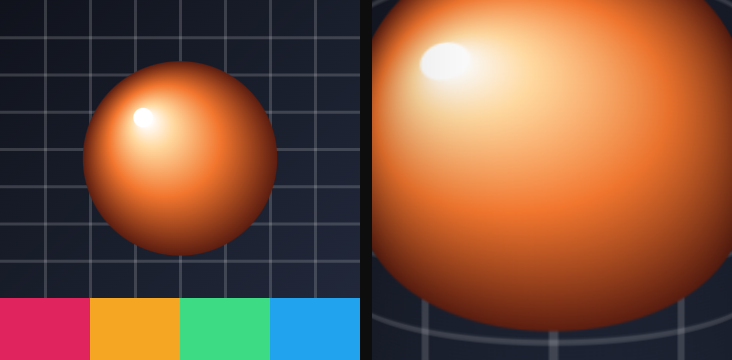
Wraps the picture around a cylinder.
Use it for: a can, a column, a label that turns.
| Parameter | Range · default | What it changes |
|---|---|---|
| Amount | 0 – 1 · 1 | How far around the cylinder the picture goes |
| Curve | 0.1 – 3 · 1.5 | Roundness of the barrel |
| Axis | Vertical / Horizontal · Vertical | Which way the cylinder stands |
| Scale | 0.1 – 4 · 1 | Size of the wrapped picture |
| Rotate | −2 – 2 · 0 | Spin around the cylinder |
Advanced
| Parameter | Range · default | What it changes |
|---|---|---|
| Shading | 0 – 1 · 0.5 | Light falloff on the sides of the barrel |
18Perspective 3D
Tips the layer in 3D space — a card turning in front of you, not a 3D scene.
Use it for: a hero panel that tilts on scroll, a card flip start, a wall receding.
| Parameter | Range · default | What it changes |
|---|---|---|
| Rotate X° | −180 – 180 · 0 | Tilt toward or away from you |
| Rotate Y° | −180 – 180 · 35 | Turn left or right |
| Rotate Z° | −180 – 180 · 0 | Roll |
| Distance | 1.05 – 12 · 2.4 | How far the plane sits from the camera; closer is more extreme |
| Depth | −1.5 – 1.5 · 0 | Extra push along the view |
| Zoom | 0.2 – 3 · 1 | Size after the turn |
| Backface | Hide / Show · Show | What you see if the card turns all the way around |