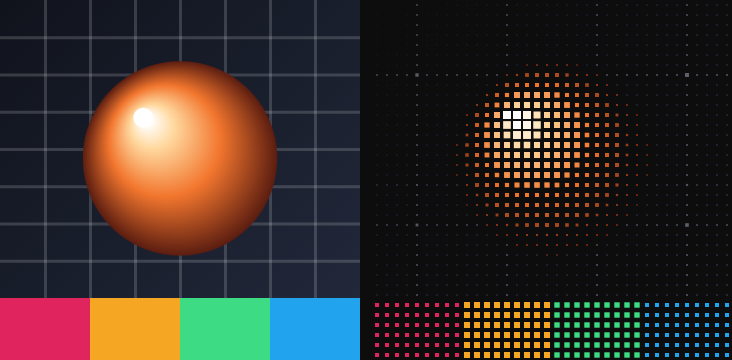
The fifteen effects in the Stylize group of the catalog, in the order the catalog lists them. Each entry gives the parameters as the card shows them, with their range and default; parameters behind ▸ Advanced are in a second table. Effects with a Speed row also have a clock — Timeline / Free run / Static — on The effect stack.
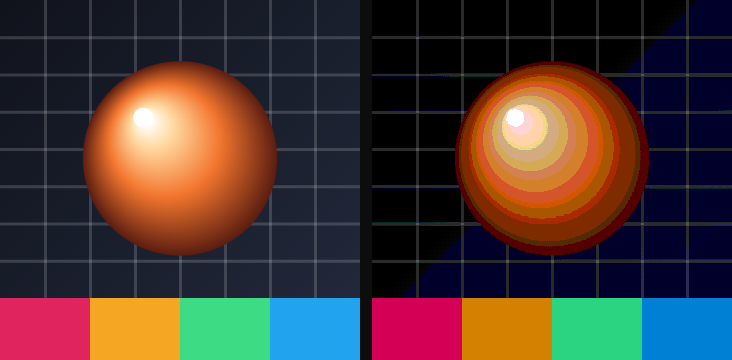
01Posterize
Cuts the picture down to a handful of brightness steps.
Use it for: a silk-screen look, flattening a photo behind type, a comic panel.
| Parameter | Range · default | What it changes |
|---|---|---|
| Levels | 2 – 32 · 6 | How many brightness steps remain |
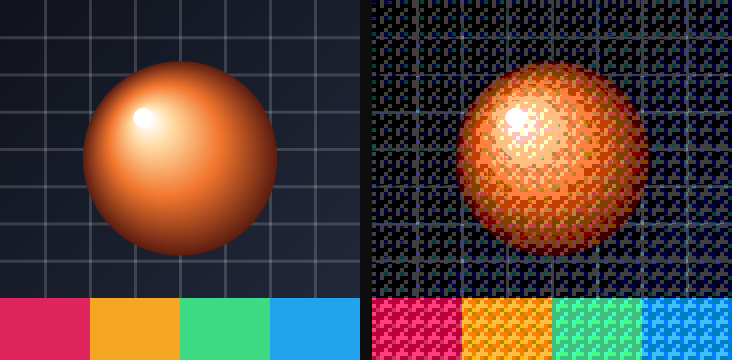
02Dither
Reduces the palette and hides the banding with a grain of mixed pixels.
Use it for: a Game Boy still, print that only has a few inks, softening Posterize.
| Parameter | Range · default | What it changes |
|---|---|---|
| Colors | 2 – 32 · 4 | How many colors the result may use |
| Strength | 0 – 2 · 1 | How hard the dither pattern is applied |
| Scale | 0.25 – 8 · 1 | Size of the dither dots |
Advanced
| Parameter | Range · default | What it changes |
|---|---|---|
| Mix | 0 – 1 · 1 | Blend between the original and the full effect |
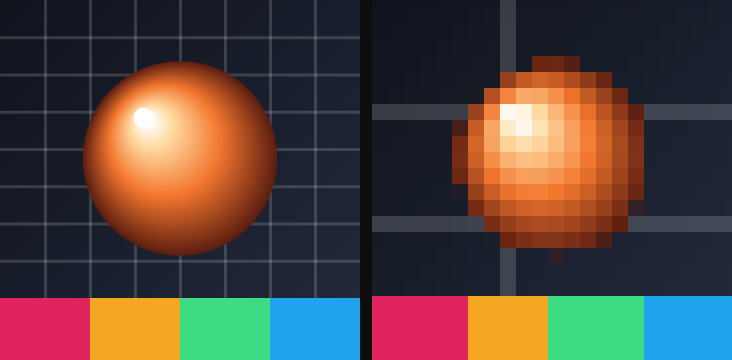
03Pixelate
Replaces the picture with a grid of large square pixels.
Use it for: a mosaic, a censorship block, an 8-bit still.
| Parameter | Range · default | What it changes |
|---|---|---|
| Pixel size | 1 – 200 · 16 | Width of each square, in pixels |
04Tile
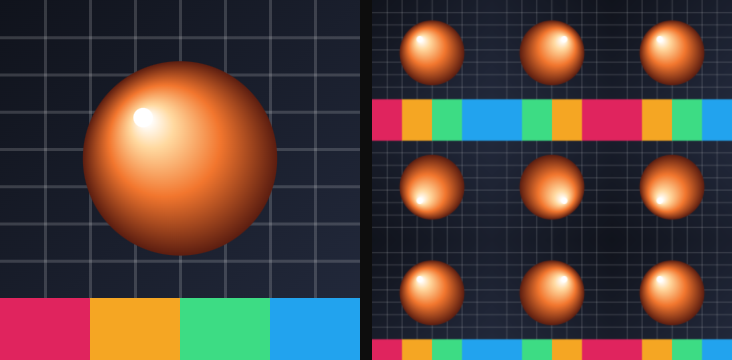
Repeats the whole picture in a grid.
Use it for: a pattern fill, a contact sheet, a wallpaper behind a card.
| Parameter | Range · default | What it changes |
|---|---|---|
| Count | 1 – 32 · 3 | Tiles along each side |
05Halftone
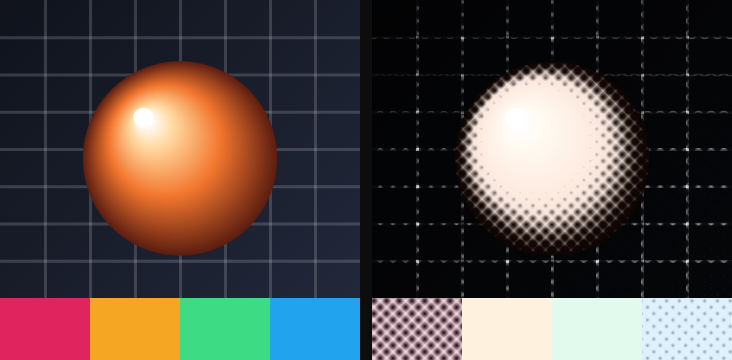
Prints the picture as dots, like newsprint.
Use it for: a newspaper photo, a pop-art panel, a cheap flyer.
| Parameter | Range · default | What it changes |
|---|---|---|
| Frequency | 4 – 200 · 40 | Dots per layer; higher is finer |
| Angle | any angle · 45° | Screen angle of the dots |
| Softness | 0.01 – 0.6 · 0.15 | How hard each dot's edge is |
Advanced
| Parameter | Range · default | What it changes |
|---|---|---|
| Mix | 0 – 1 · 1 | Blend between the original and the full effect |
06Engraving
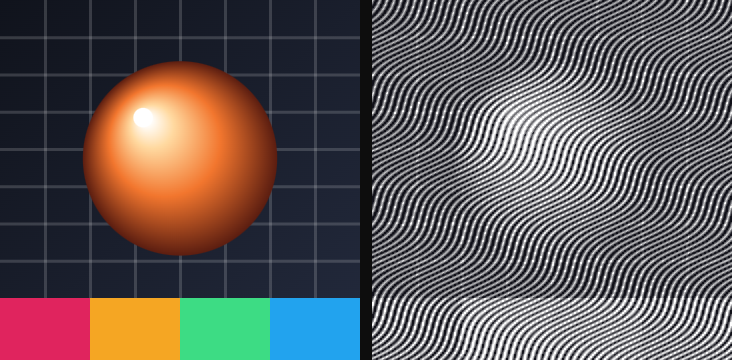
Draws the picture as parallel ink lines.
Use it for: a banknote, a woodcut, a stamp.
| Parameter | Range · default | What it changes |
|---|---|---|
| Line density | 10 – 600 · 120 | Lines across the layer |
| Angle | any angle · 45° | Direction of the hatch |
| Thickness | −0.5 – 0.9 · 0.1 | How fat each line is |
Advanced
| Parameter | Range · default | What it changes |
|---|---|---|
| Wave | 0 – 10 · 0 | Wobble along each line |
| Ink | color · #101018 | Color of the lines |
07CRT screen
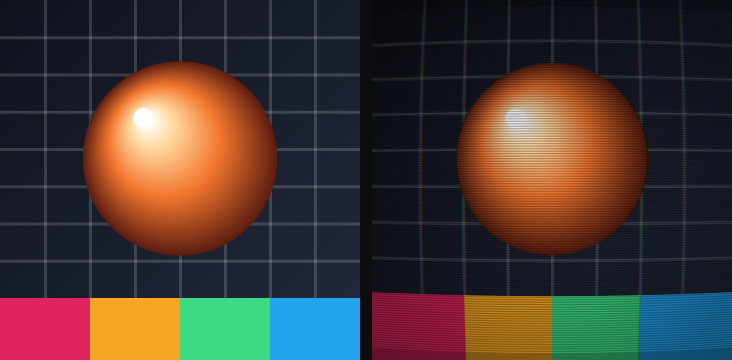
Scanlines, a curved glass, and a little chromatic split. Has a clock.
Use it for: an old monitor, a terminal, a music video frame.
| Parameter | Range · default | What it changes |
|---|---|---|
| Scanlines | 0 – 1 · 0.6 | Strength of the horizontal lines |
| Curvature | 0 – 1 · 0.15 | How much the glass bows |
| Chromatic | 0 – 0.1 · 0.01 | Red/blue split at the edges |
| Speed | 0 – 5 · 0.5 | Cycles per second of the rolling bars |
Advanced
| Parameter | Range · default | What it changes |
|---|---|---|
| Vignette | 0 – 1 · 0.3 | Darkening in the corners |
| Mix | 0 – 1 · 1 | Blend between the original and the full effect |
Motion: Timeline / Free run / Static.
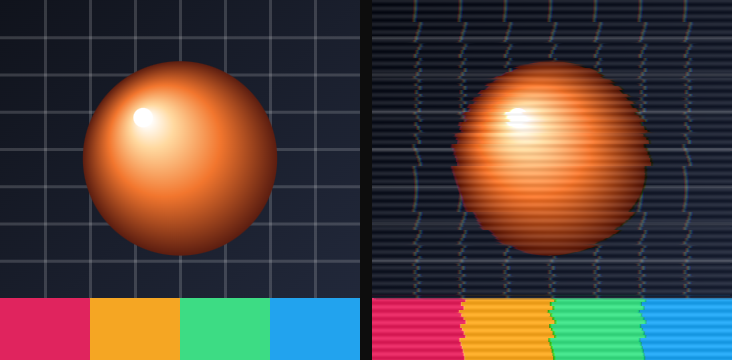
08VHS
Tracking noise, soft chroma and a little vertical shake. Has a clock.
Use it for: a tape that has been copied too many times, a found-footage plate.
| Parameter | Range · default | What it changes |
|---|---|---|
| Amount | 0 – 4 · 1 | How heavy the tape look is |
| Speed | 0 – 5 · 0.5 | Cycles per second |
Advanced
| Parameter | Range · default | What it changes |
|---|---|---|
| Mix | 0 – 1 · 1 | Blend between the original and the full effect |
Motion: Timeline / Free run / Static.
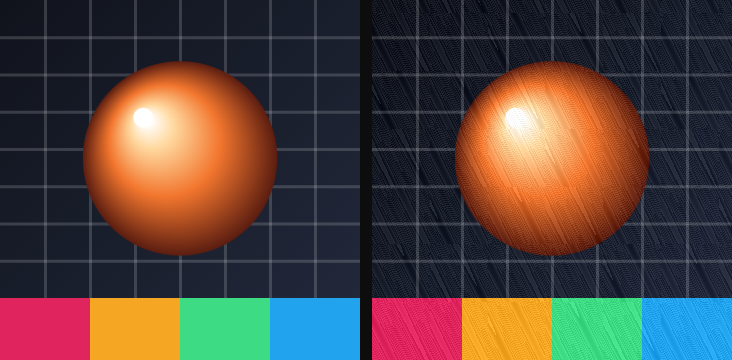
09Film grain
A fine, moving grain over the picture. Has a clock.
Use it for: sitting a digital still next to real footage, taking the plastic off a 3D render.
| Parameter | Range · default | What it changes |
|---|---|---|
| Amount | 0 – 1 · 0.12 | How visible the grain is |
| Speed | 0 – 5 · 0.5 | Cycles per second; at 0 the grain freezes |
Advanced
| Parameter | Range · default | What it changes |
|---|---|---|
| Mix | 0 – 1 · 1 | Blend between the original and the full effect |
Motion: Timeline / Free run / Static.
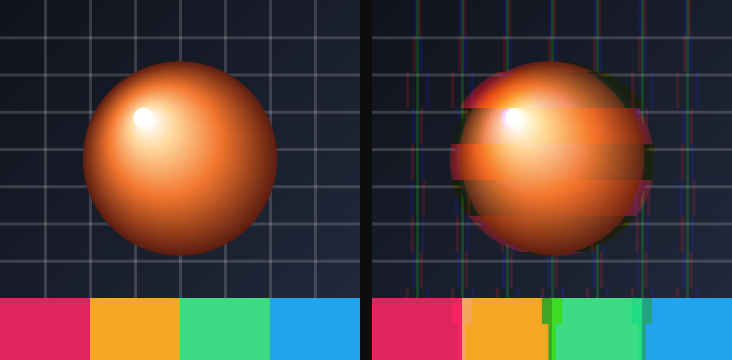
10Glitch
Horizontal slices that jump and split. Has a clock.
Use it for: a broken title, a hacked terminal, a beat hit.
| Parameter | Range · default | What it changes |
|---|---|---|
| Amount | 0 – 0.3 · 0.03 | How far the slices jump |
| Rows | 2 – 80 · 10 | How many slices |
| Speed | 0 – 5 · 0.5 | Cycles per second |
Advanced
| Parameter | Range · default | What it changes |
|---|---|---|
| Mix | 0 – 1 · 1 | Blend between the original and the full effect |
Motion: Timeline / Free run / Static.
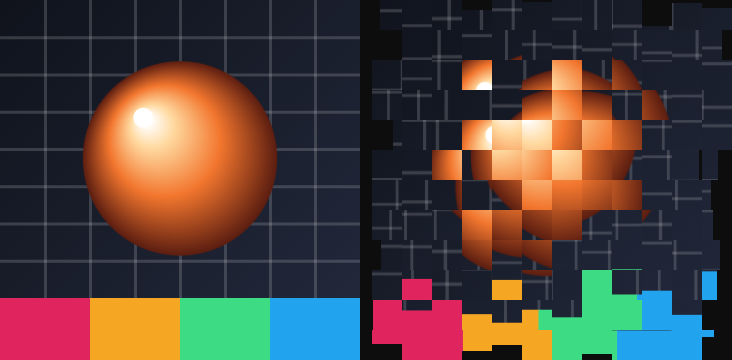
11Datamosh blocks
The picture breaks into shifting blocks, like a video that lost its keyframes. Has a clock.
Use it for: a codec error, a music-video smash, a transition that never quite lands.
| Parameter | Range · default | What it changes |
|---|---|---|
| Cells | 2 – 80 · 12 | How many blocks across |
| Shift | 0 – 5 · 1 | How far blocks slide |
| Stretch | 0 – 3 · 0.5 | How much blocks smear |
| Speed | 0 – 5 · 0.5 | Cycles per second |
Advanced
| Parameter | Range · default | What it changes |
|---|---|---|
| Seed | 0 – 100 · 0 | Which random pattern; change it for a different break |
| Mix | 0 – 1 · 1 | Blend between the original and the full effect |
Motion: Timeline / Free run / Static.
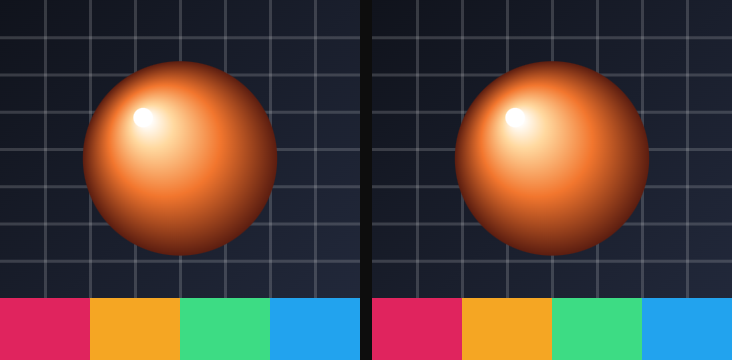
12Glass
Refracts whatever sits behind the layer, with a highlight and an optional frost.
Use it for: a frosted card, a lens over a photo, a liquid blob.
Presets: Lens, Liquid, Frosted, Thin.
| Parameter | Range · default | What it changes |
|---|---|---|
| Refraction | 0 – 1 · 0.8 | How strongly the glass bends the backdrop |
| Depth | 0 – 1 · 0.5 | Apparent thickness |
| Dispersion | 0 – 1 · 0.3 | Rainbow fringe at the edges |
| Frost | 0 – 1 · 0 | Soft blur of the glass itself |
| Light angle | any angle · −45° | Direction the highlight comes from |
| Light | 0 – 1 · 0.3 | Strength of that highlight |
Advanced
| Parameter | Range · default | What it changes |
|---|---|---|
| Tint | color · #ffffff | Color mixed into the glass |
| Tint amount | 0 – 1 · 0 | How much of that tint |
| Mix | 0 – 1 · 1 | Blend between the original and the full effect |
13Pixel sort
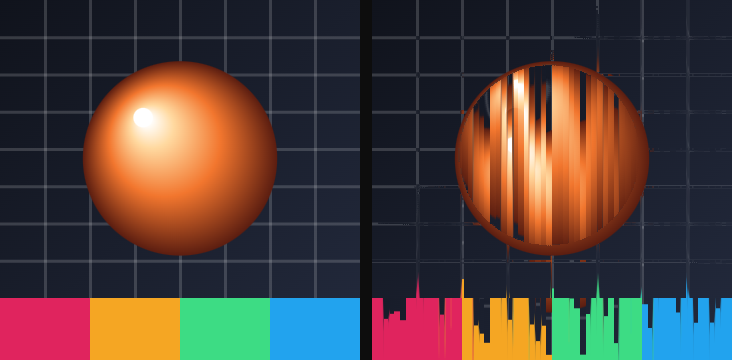
Sorts runs of pixels by brightness, so the picture streaks along its own values. Has a clock.
Use it for: a databending still, a sky that turns into rain, a portrait that melts.
| Parameter | Range · default | What it changes |
|---|---|---|
| Threshold | 0 – 1 · 0.25 | How bright a pixel must be to join a run |
| Amount | 0 – 1 · 0.25 | How far the sort travels |
| Speed | 0 – 5 · 0.5 | Cycles per second |
Advanced
| Parameter | Range · default | What it changes |
|---|---|---|
| Mix | 0 – 1 · 1 | Blend between the original and the full effect |
Motion: Timeline / Free run / Static.
14Metaball
Soft blobs that melt into each other wherever the picture is bright.
Use it for: lava, a liquid logo, merging dots into one shape.
| Parameter | Range · default | What it changes |
|---|---|---|
| Radius | 0 – 60 · 14 | How far each blob reaches |
| Threshold | 0.05 – 2 · 0.5 | How much brightness it takes to form a blob |
Advanced
| Parameter | Range · default | What it changes |
|---|---|---|
| Smoothing | 0 – 8 · 2 | How soft the blob edges are |

15ASCII
Rebuilds the picture from a grid of glyphs — blocks, circles, letters.
Use it for: a terminal portrait, a brutalist title, a print that only has type.
| Parameter | Range · default | What it changes |
|---|---|---|
| Shape | Blocks / Circles / Lines / Diagonal / Cross / Diamond / Halftone / Chars · Circles | What sits in each cell |
| Cell size | 4 – 64 · 10 | Size of each glyph cell, in pixels |
| Contrast | −1 – 3 · 0 | Extra contrast before the glyphs are picked |
| Keep color | on / off · on | On keeps the source color; off uses Ink |
| Ink | color · #d7e1e9 | Glyph color when Keep color is off |
Advanced
| Parameter | Range · default | What it changes |
|---|---|---|
| Brightness | −1 – 1 · 0 | Lift or sink before glyphs are picked |
| Gamma | 0.1 – 4 · 1 | Midtone curve before glyphs are picked |
| Spacing | 0 – 0.4 · 0 | Gap between cells |
| Glyph count | 2 – 10 · 10 | How many characters the Chars set uses |
| Invert | on / off · off | Swaps light and dark before picking glyphs |
| Mix | 0 – 1 · 1 | Blend between the original and the full effect |