Virtual Repeat draws one layer many times. The copies are not extra layers — one row in the tree, one selection, one set of properties. You pick a count and a layout; each copy can step in position, rotation, scale, opacity, blur and color. It is an ability from + Add, like a shadow.
Three cousins are easy to confuse:
| What decides the copies | Who it is for | |
|---|---|---|
| Virtual Repeat | A Count you type | One shape, a trail, a fan, a stacked deck — every copy looks like the master, plus the deltas |
| Data Repeater | Rows of data (a table, JSON, a REST URL) | A product grid, a list of names — each copy can say something different |
| Clones | An arrangement on a mesh | Thousands of cubes or a photo ring in 3D |
Pick Virtual Repeat when the copies are the same picture, stepped. Pick Data Repeater when a field should change per copy. Pick Clones when the thing being copied is a 3D mesh.
01Adding it
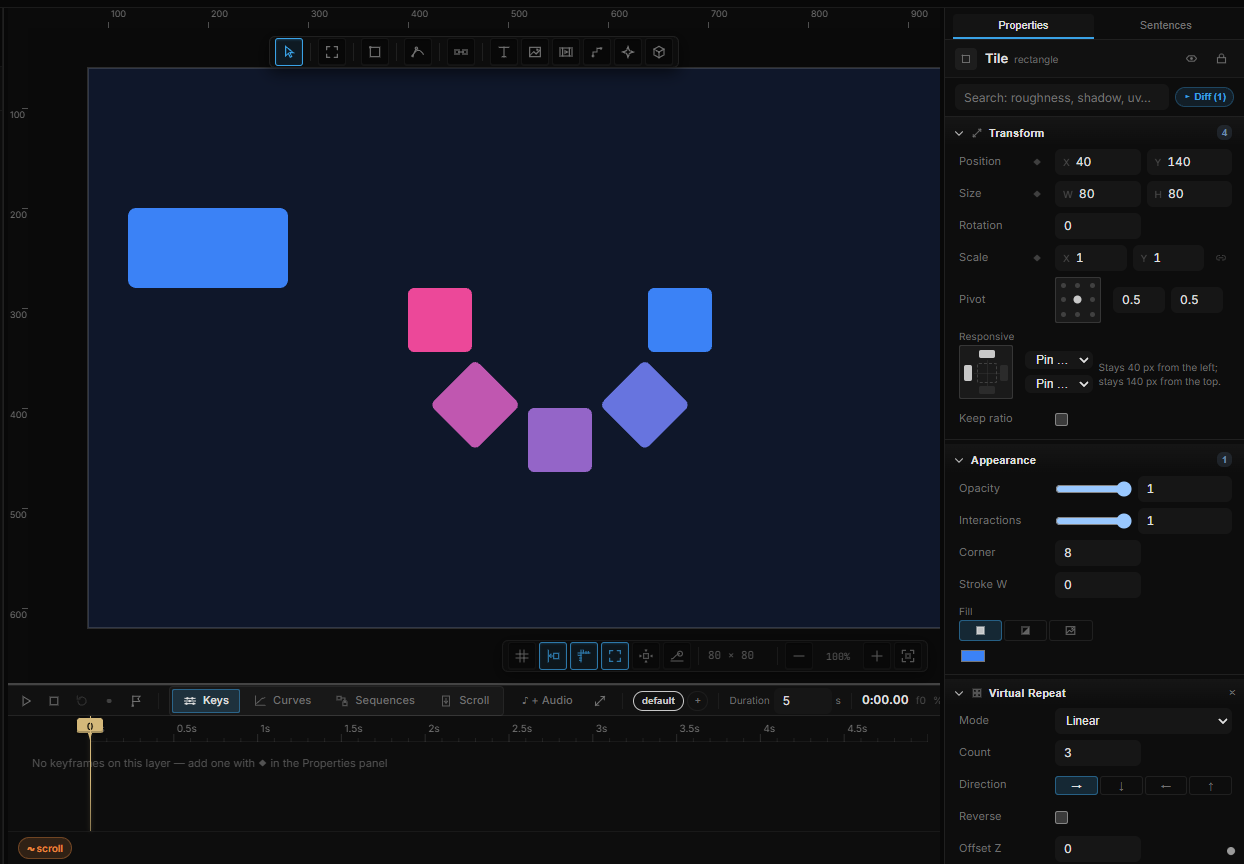
Select a 2D layer — a shape, text, image, group or artboard — and in Properties click + Add › Virtual Repeat (Virtual copies — no extra layers). The same row is under Add › Repeat on the canvas context menu.
Three copies appear in a line, 40 px apart to the right. Count is 3, Mode is Linear. Children of the layer are stamped with it — a card with type inside repeats as a card.
3D meshes and lights do not offer this ability. Their copies are Clones.
02Mode
Mode decides where the copies sit. The rows under it change with the choice.
| Mode | Layout | Extra rows |
|---|---|---|
| Linear | A line. Each copy adds Offset once | Direction, Reverse, Offset Z, Offset |
| Grid | Rows and columns | The Linear rows, plus Columns (default 3) |
| Radial | An arc or a ring | Radius, Radius Δ, Arc Start, Arc Span, Rotate w/ Arc — no Direction / Offset |
Direction is a shortcut for Offset: → ↓ ← ↑. It keeps the distance (at least 40 px) and zeroes the other axis. Offset is still there if you want a diagonal.
Reverse walks the copies the other way along the same line or grid — the last copy lands where the first one was.
Offset Z stacks each copy a little further down the page. Use it for a deck of cards; it is a 2D offset, not a 3D depth.
Radial
| Row | Default | What it does |
|---|---|---|
| Radius | 80 | Distance from the master to the first copy, in px |
| Radius Δ | 0 | Added to the radius on each copy — a spiral when it is not zero |
| Arc Start | 0 | Where the arc begins, in degrees (0 is to the right) |
| Arc Span | 360 | How much of a circle to fill. 360 is a full ring; 180 is a semicircle |
| Rotate w/ Arc | off | Each copy turns to face along its own angle |
A full circle spaces Count copies evenly. A shorter span spaces them from first to last, so the ends sit on the start and end of the arc.
03Per-copy deltas
Every copy after the master can change. The values accumulate: copy 2 gets the delta twice, copy 3 three times.
| Row | Default | What accumulates |
|---|---|---|
| Rotation Δ | 0 | Degrees added on each copy |
| Scale Δ / Scale Y Δ | 1 / 1 | Multiplied on each copy. 1 keeps the size; 0.9 shrinks a trail; 1.1 grows one |
| Opacity Δ | 1 | Multiplied on each copy. 0.7 fades a trail out |
| Blur / Copy | 0 | Pixels of blur added on each copy |
Blend is the blend mode drawn on the copies (the master's own Blend ability is separate).
Color Gradient paints a ramp across the set. Tick it and pick Colors — start on the master, end on the last copy. Off keeps the original fill.
Hide Master draws only the copies. The master is still the layer you select and edit; it just is not painted. Turn this on for a ring that should not show the original in the middle.
Count, Offset, Rotation Δ and the other rows are ordinary properties. Keyframe Count to grow the set, or bind Rotation Δ to a stream so the fan follows the pointer.
04Cascade
The same Cascade entrance lives at the bottom of the Virtual Repeat card. Turn Enable on, pick a From preset, and drag Progress from 0 to 100 — each copy eases in with its own offset. Progress is the master dial on the layer, not on one copy: scrubbing it after you clicked a stamp still drives every copy.
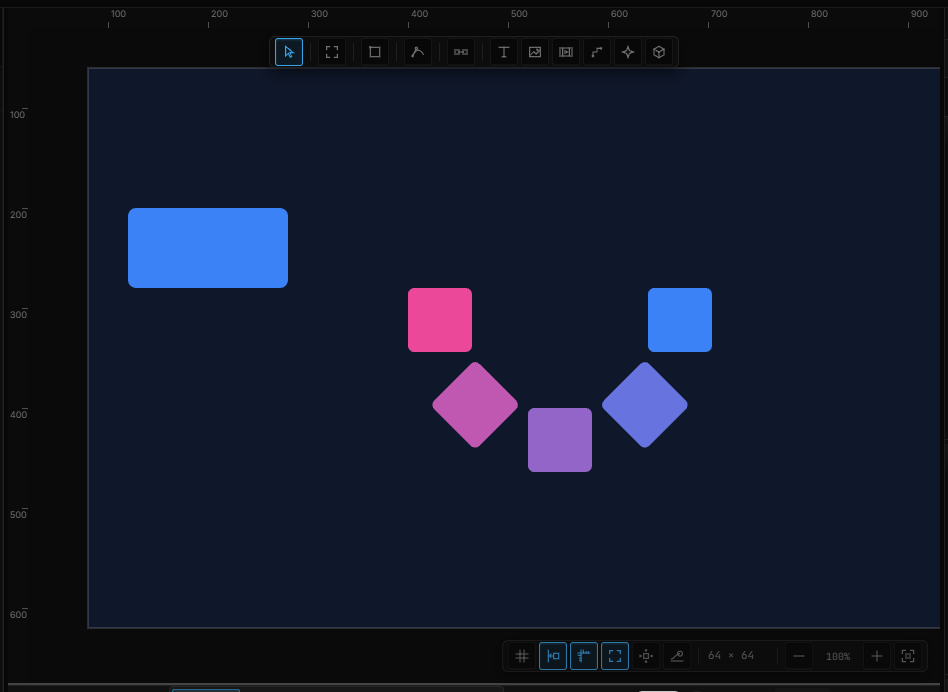
05What a copy is — and is not
- The copies are not in the layer tree. Select the master; you are editing every copy.
- Clicking a copy on the canvas still selects the master. Data Repeater is the one where a click can mean "this row".
- Duplicate (Ctrl+D) still copies the layer once. To get more stamps, raise Count.
- Removing the section with × turns the stamps off and keeps the numbers. Add the ability again and the fan is where you left it.
06Shortcut recap
| Add | + Add › Virtual Repeat, or right-click Add › Repeat › Virtual Repeat |
| Modes | Linear · Grid · Radial |
| Cousins | Data Repeater · Clones |