One composition. A larger world.
Map display surfaces, assign outputs to PCs and coordinate player time. Align the image with warp and blend controls.
Start here: Map deskMap the installation
Build the show around its actual screen or projector arrangement. Use the map desk to define output regions and how the composition occupies the space.
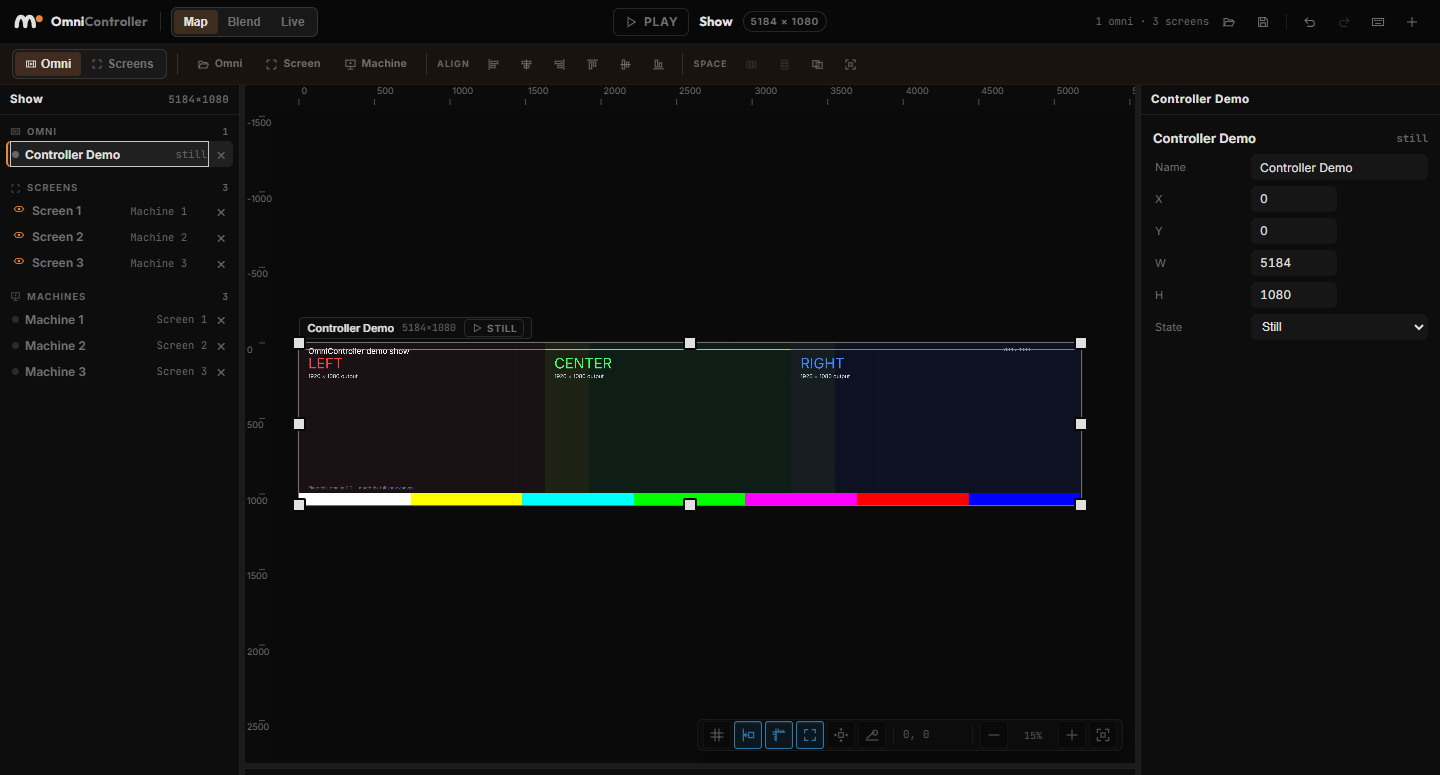
Link players across machines
Assign regions to machines and transfer the project and control map. Player Link connects the distributed setup so playback can be coordinated from the controller.
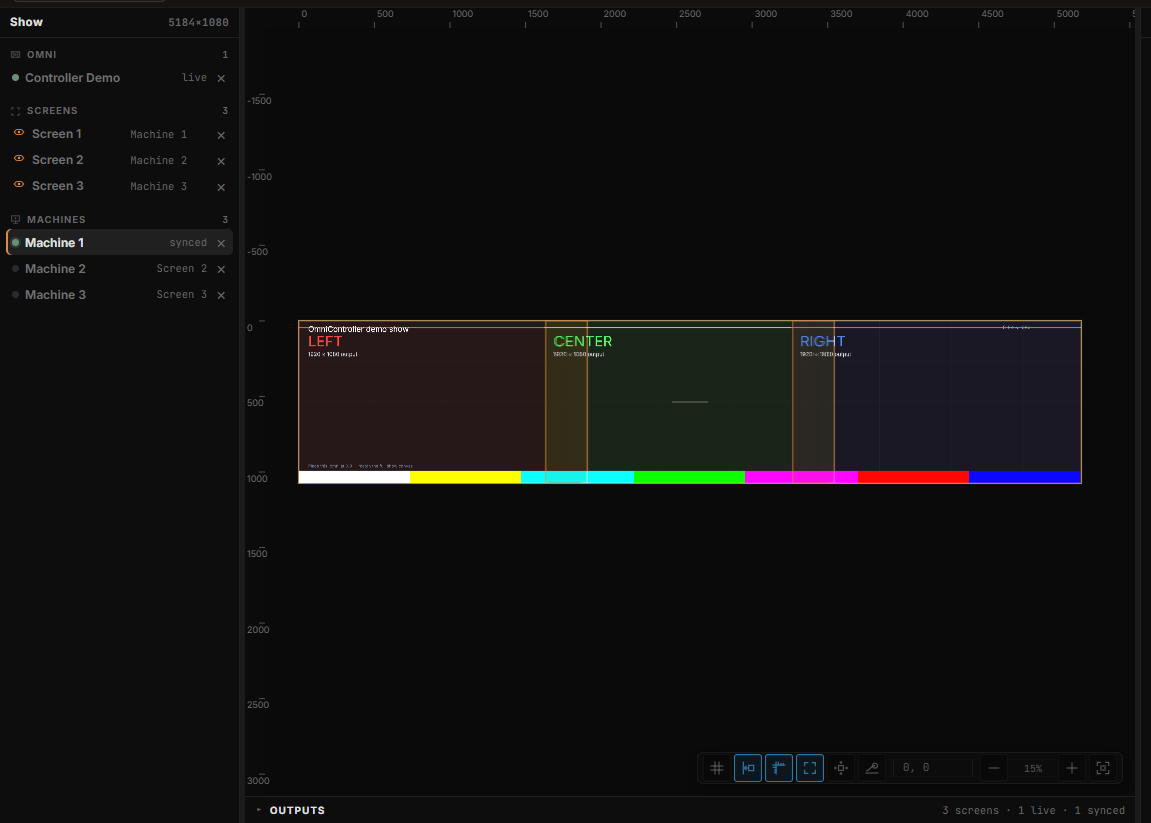
Warp, blend & live operation
Correct projection geometry and blend overlapping areas. Use live mode for show operation after calibration. Actual output performance depends on the machines, scene and display arrangement.
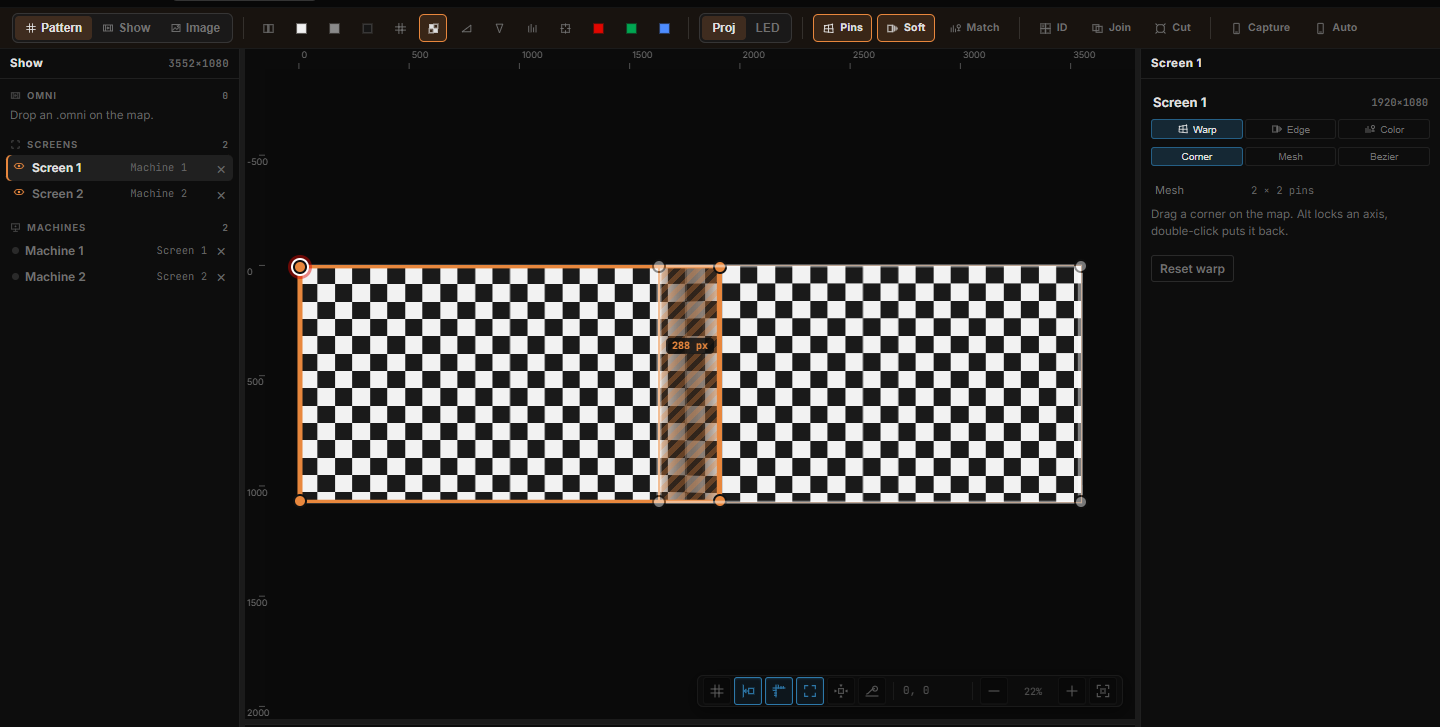
No fixed canvas or total-pixel ceiling.
Design for the space you have, including custom aspect ratios and very large output surfaces. This describes software-defined canvas freedom; frame rate and real-time capacity still depend on the setup.
Go deeper
Continue with the feature guides below. Draft labels describe the documentation status.